
If you’ve ever tried sourcing top talent the old-fashioned way, endless job boards, cold emails, or relying solely on referrals, you know how frustrating and time-consuming it can be.
That’s probably why you’re here, curious about LinkedIn Recruiter.
You’ve heard the buzz, maybe even taken it for a quick spin, but the big question still lingers: Is it worth the investment? And how much does it actually cost?
Part of an in-house hiring team or running your own recruiting agency? Understanding LinkedIn Recruiter pricing structure is key before you dive in.
In this breakdown, we’ll explore the different plans, features, and what you really get for your money, so you can make an informed choice without wasting your recruiting budget.
What Is LinkedIn Recruiter?
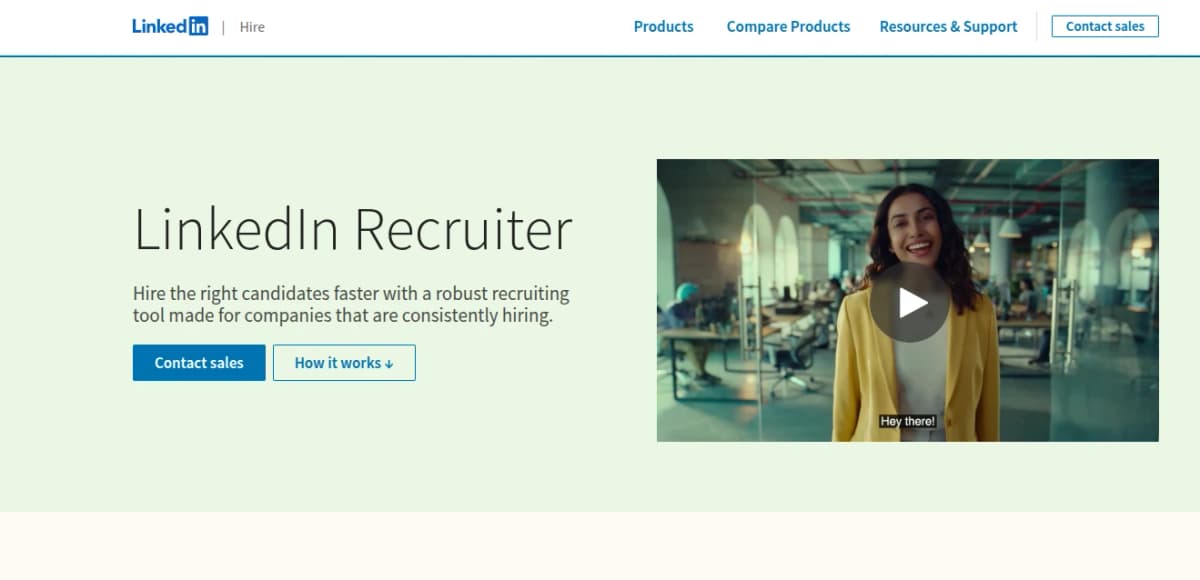
LinkedIn Recruiter is a premium hiring tool built on LinkedIn. It is LinkedIn specifically designed for professional recruiters, offering features tailored to streamline the recruitment process. It gives recruiters access to the full network of over 1 billion LinkedIn members, plus advanced search filters, bulk messaging capabilities, and collaboration tools for HR teams and hiring teams.
It’s designed to help you proactively find and reach out to potential candidates, especially those who aren’t actively looking for a job. I’ve used it extensively to fill both niche and high-volume roles.
The difference it makes, compared to regular LinkedIn or job boards, is night and day. You’re not just waiting for applicants, you’re actively building your talent pipeline.
LinkedIn Recruiter pricing also covers collaboration. The platform also makes team collaboration smooth for HR teams. You can share projects with hiring managers or teammates, tag and categorize candidates, and see who messaged whom and when.
This prevents duplicate outreach and helps your team stay aligned. You also get robust reporting tools to track pipeline activity, InMail response rates, and recruiter performance.
Some of the key features of LinkedIn Recruiter include advanced candidate search, bulk messaging, project sharing, and detailed analytics.
It integrates with most major Applicant Tracking Systems (ATS), which helps keep your sourcing and hiring workflows connected.
If you’re hiring at scale or working with a team, LinkedIn Recruiter gives you the structure, data, and flexibility to manage it all efficiently.
Related: LinkedIn Recruiter Lite Pricing 2025
Why LinkedIn Recruiter is Popular
Despite the fact that LinkedIn Recruiter pricing is high, it’s quite a popular option and one of the main reasons it is so widely used is the access it gives you.
You can see nearly every profile on LinkedIn, even those outside your network and send direct messages (called InMails) to people you wouldn’t otherwise be able to contact.
You also get insights into candidate activity, like whether someone is open to work or recently viewed your company page. LinkedIn Recruiter also allows you to showcase your company culture through your company page and job postings, helping attract candidates who are a strong cultural fit.
Another reason it’s popular is because it’s familiar. Most professionals already use LinkedIn, so you’re engaging with talent on a platform they trust, not trying to pull them onto a new system.
Who is LinkedIn Recruiter For?
LinkedIn Recruiter is made for professional recruiters, whether you’re part of an in-house HR team, working at an agency, or managing hiring for a startup. It’s especially helpful for:
-
Tech and startup recruiters looking for passive candidates with niche skill sets
-
Enterprise hiring teams that need to coordinate and share candidate pipelines
-
Solo recruiters and consultants who need a reliable, efficient way to source candidates
If you’re hiring more than a few roles per year or if your hires tend to be hard-to-find specialists, this tool can save you serious time and effort.
LinkedIn Recruiter offers different plans and pricing options depending on company size, making it suitable for both small businesses and large enterprises.
Why LinkedIn Recruiter is a Go-To Tool for Modern Recruitment
Recruiting has changed. The best candidates aren’t browsing job boards every day. They’re working, heads down, not actively applying, but they’ll listen if the right opportunity comes along.
LinkedIn Recruiter is a key platform for modern talent acquisition, enabling strategic sourcing and hiring of high-quality candidates through advanced search and outreach tools.
That’s where LinkedIn Recruiter shines.
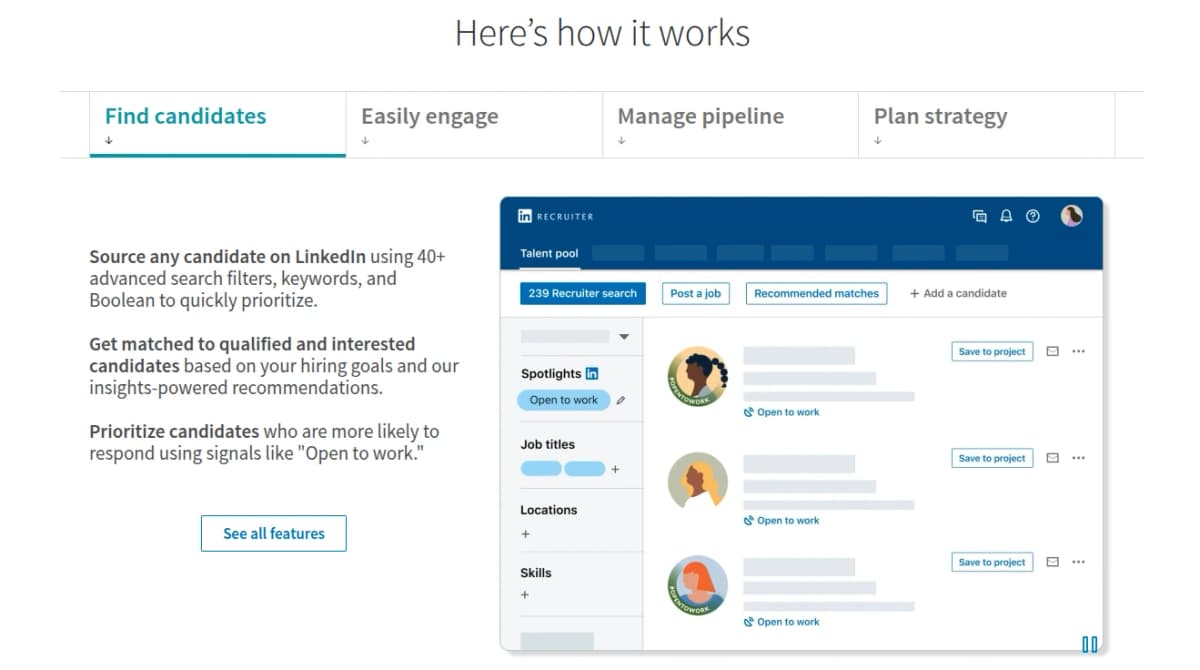
You can filter by specific skills, job titles, locations, years of experience, even what tools or software someone uses. You can create saved searches and get alerts when new matches pop up.
And when you do reach out, you’re not sending a cold email, they see your profile, your company, and often your mutual connections.
In short, LinkedIn Recruiter gives you the tools to recruit like a marketer: targeted, personalized, and strategic. That’s why it’s become a staple in the modern recruiter’s toolbox.
What Is LinkedIn Recruiter Lite?
LinkedIn Recruiter Lite is a scaled-down version of the full Recruiter platform. It doesn’t have the same LinkedIn Recruiter pricing model. It’s designed for solo recruiters, independent consultants, or small businesses that don’t need all the bells and whistles of the corporate plan.
I’ve used Recruiter Lite when working with leaner hiring needs or on a budget. It still gives you access to powerful search and messaging tools, but within more limited boundaries. For example, you can only view and contact people within your extended network, typically 1st to 3rd-degree connections. Recruiter Lite helps you find candidates by using advanced search filters and leveraging your network connections, making it easier to identify and reach out to relevant talent.
So while you can still reach thousands of people, you’re not getting the full reach of LinkedIn’s 1 billion-member network like you would with the full Recruiter.
You also get fewer search filters, around 20 in total. These include basic filters like location, job title, industry, and current company. It’s enough to run targeted searches, but if you’re trying to drill down into very specific qualifications, it might start to feel limiting.
Recruiter Lite gives you 30 InMail messages per month, and you can save up to 1,000 candidate profiles in folders. There are basic tools for keeping notes on profiles and organizing projects, but no advanced tagging, team collaboration, or pipeline reporting.
You won’t find ATS integrations or detailed analytics in Lite, which makes it more suitable for straightforward recruiting tasks rather than complex hiring operations. That said, if you’re a freelance recruiter, part of a small startup team, or someone just starting to build a talent pipeline, Recruiter Lite is a solid entry point.
It’s more affordable, easier to manage, and still gives you enough reach to make high-quality hires—especially when used with a good outreach strategy.
Related: The Best 9 Candidate Assessment Tools, Ranked by Accuracy
LinkedIn Recruiter vs. Recruiter Lite: Key Differences
LinkedIn offers two primary recruiting products: LinkedIn Recruiter (Corporate) for enterprise teams and LinkedIn Recruiter Lite for individual recruiters or small teams. This means LinkedIn Recruiter pricing is different from that of LinkedIn Lite.
The full Recruiter plan is a robust, multi-seat platform with the widest search reach and advanced analytics, whereas Recruiter Lite is a scaled‑down version with fewer features and a smaller candidate pool.
Key differences include search scope, InMail allowances, collaboration tools, and pricing. Below is a feature comparison and summary of how each plan differs in search capability, messaging, team collaboration, and reporting:
1. Network Access & Search Filters
Recruiter Lite can only search your extended network (1st–3rd degree connections) and offers about 20 search filters (e.g. location, title, skills).
In contrast, the full Recruiter can find any public profile on LinkedIn and provides 40+ filters (including advanced options like “years in role,” languages, and “open to contract work” filters).
Full Recruiter also includes premium insights like candidate/company spotlights and market trend analytics that Lite lacks.
2. InMail & Communication
Lite grants 30 InMail messages per user per month, whereas full Recruiter gives 150 per user per month. Both plans pool unused InMails within a team and allow purchase of extra credits, but only the full Recruiter supports bulk messaging (sending up to 25 InMails at once).
For outreach and response tracking, Recruiter Lite provides basic InMail reporting, while full Recruiter adds detailed pipeline and usage reports.
3. Candidate Management
With Recruiter Lite, each license can save up to 1,000 candidate profiles in projects, whereas full Recruiter lets you save up to 10,000 profiles (per seat). Lite supports simple project folders and notes, but lacks tagging and advanced project organization. Candidate tracking is a core feature, allowing recruiters to monitor the progress of potential hires throughout the hiring process.
The Corporate Recruiter allows tags on profiles and sharing of projects across teams, enabling richer candidate categorization.
4. Team Collaboration
Full LinkedIn Recruiter is built for teams. It supports an unlimited number of seats (recruiter licenses) and includes free collaborator licenses (typically 20 per recruiter license) so hiring managers or clients can view projects.
It also offers shared activity tracking, @mentions, and message sharing. Recruiter Lite is more limited: it can be purchased for up to 5 seats and does not include free collaborator seats or most team features.
All core collaboration functions (shared projects, notes, etc.) are restricted to those 5 seats in Lite.
5. ATS Integrations & Reporting
Only full Recruiter integrates with Applicant Tracking Systems (28+ partners) and LinkedIn’s Talent Insights tools. It provides comprehensive analytics (pipeline, usage, custom reports, OFCCP tracking).
Lite offers basic InMail and job reports but no ATS integration or advanced analytics.
The table below summarizes the core feature differences between Recruiter Lite and the full LinkedIn Recruiter plan:
Job Postings and Outreach: How LinkedIn Recruiter Expands Your Reach
One of the biggest advantages of using LinkedIn Recruiter is how it amplifies your ability to connect with qualified candidates—far beyond what’s possible with standard job boards or basic LinkedIn accounts. For hiring managers and recruitment agencies, this means you’re not just waiting for applicants to come to you; you’re actively reaching into a talent pool of hundreds of millions of professionals.
With LinkedIn Recruiter, posting jobs is just the beginning. You can promote your job openings to a highly targeted audience, ensuring your roles are seen by the right people at the right time. Whether you’re a solo recruiter using LinkedIn Recruiter Lite or part of an enterprise team leveraging LinkedIn Recruiter Corporate, the platform’s job posting capabilities help you attract top talent and fill your recruitment pipeline efficiently.
But the real power comes from direct candidate outreach. LinkedIn Recruiter enables you to send personalized InMail messages to potential candidates—even those who aren’t actively job hunting or are outside your immediate network (including 3rd degree connections). This direct communication approach increases your chances of engaging passive candidates and building relationships with top talent before your competitors do.
For those using LinkedIn Recruiter Corporate, the benefits go even further. You get access to unlimited job postings, advanced search filters, and collaboration tools that make it easy for enterprise teams to coordinate their hiring efforts. Recruiter Lite, on the other hand, is ideal for solo recruiters or small teams who want a cost-effective way to post jobs and reach out to candidates, albeit with more limited features and a smaller reach.
Advanced search filters are a key feature that set LinkedIn Recruiter apart. You can zero in on candidates by skills, experience, location, and even specific keywords, making it easier to find qualified candidates who match your hiring needs. Search alerts keep you updated when new potential candidates enter the talent pool, so you never miss out on fresh prospects.
LinkedIn Recruiter also integrates seamlessly with other LinkedIn tools like Sales Navigator and Talent Insights, giving you a comprehensive view of your recruitment pipeline and helping you track metrics that matter. AI-powered candidate recommendations and bulk messaging capabilities further streamline your recruitment process, allowing you to send targeted outreach at scale and improve your chances of connecting with the right people.
When considering the LinkedIn Recruiter cost, it’s important to weigh these features against your hiring goals. A single license can be a significant investment, but the ability to post jobs, conduct advanced searches, and engage in direct candidate outreach can dramatically improve your recruitment outcomes. For enterprise teams, corporate packages offer even more value with enhanced collaboration and analytics.
In today’s competitive recruitment industry, having the right tools to expand your reach and connect with top talent is essential. LinkedIn Recruiter’s combination of job postings, advanced search, AI-powered recommendations, and direct communication tools makes it a standout choice for both solo recruiters and large hiring teams looking to find qualified candidates and streamline their hiring process.
LinkedIn Recruiter Pricing vs. Recruiter Lite
| Feature | Recruiter Lite | LinkedIn Recruiter (Corporate) |
|---|---|---|
| Network Access | Up to 3rd-degree connections | All public LinkedIn profiles |
| Search Filters | 20 filters | 40+ filters (advanced) |
| Spotlights / Insights | Not available | Yes (company, candidate insights) |
| InMail Credits (per month) | 30 per seat | 150 per seat |
| Bulk InMail Sending | No | Yes (up to 25 at once) |
| Saved Profiles (Projects) | Up to 1,000 profiles | Up to 10,000 profiles |
| Multi-User Seats | Yes – up to 5 seats | Yes – unlimited (per contract) |
| Free Collaborator Seats | No | Yes, 20 per license |
| Tagging & Notes | Basic notes only (no tags) | Tags, @mentions, shared notes |
| ATS Integrations | No | Yes, 28+ ATS partners |
| Reporting | InMail & job reports only | Advanced reports (pipeline, usage, OFCCP, etc.) |
Read Also: The Best 9 Applicant Tracking Systems for Small Businesses
LinkedIn Recruiter Pricing: Monthly Subscription Plans
How much does LinkedIn Recruiter cost? Pricing varies depending on the plan, number of seats, and other factors.
| Plan | Monthly Price (USD) | Notes |
|---|---|---|
| Recruiter Lite (single seat) | $170/month | Cancel anytime; includes 30 InMails, 20+ filters |
| Recruiter Lite (2–5 seats) | $270/seat/month | Each additional seat (2nd–5th) at this rate |
| LinkedIn Recruiter (Corporate) | Custom ($900/seat) | Pricing varies; typically requires contract |
Contact Sales; multi-user platform with 150 InMails. Pricing can vary by geographical location and is typically provided by LinkedIn’s sales team, who offer personalized quotes and may discuss discounts for long-term contracts.
According to the Official LinkedIn Talent Solutions documentation, Recruiter Lite can be purchased on a month‑to‑month basis or as an annual subscription. In the US, a single‑seat monthly subscription costs $170.
For 2–5 seats, each additional seat is $270/month.
These plans include all Lite features (20+ filters, 30 InMails, etc.) and can be canceled any time.
The full LinkedIn Recruiter (Corporate) plan is custom‑quoted, but industry sources report it runs about $900 per seat per month (though typically billed annually). Pricing for this plan depends on geographical location, and organizations usually need to contact LinkedIn’s sales team to receive a personalized quote and discuss potential discounts or incentives.
Corporate Recruiter usually requires contacting LinkedIn sales for a custom quote, but recruiters have cited an equivalent of $10,800 per seat per year, which is roughly $900/month.
LinkedIn Recruiter Pricing: Annual Subscription Plans
| Plan | Annual Price (USD) | Effective Monthly Rate |
|---|---|---|
| Recruiter Lite (single seat) | $1,680/year | ≈$140/month |
| Recruiter Lite (2–5 seats) | $2,670/seat/year | $222.50/month |
| LinkedIn Recruiter (Corporate) | $10,800/seat/year | $900/month |
Both products offer discounted annual rates. A single‑seat Recruiter Lite annual contract is $1,680/year (about $140/month), saving roughly 18% versus 12 months of monthly billing.
For 2–5 seats, the annual cost is $2,670 per seat per year ($222.50/mo) (vs $270/mo billed monthly, or $3,240/year).
These annual subscriptions include the same features as the monthly plans, typically with added perks like priority support.
The full LinkedIn Recruiter pricing is usually quoted on an annual basis (since it’s enterprise‑licensed).
Sources indicate ~$10,800 per seat per year (equivalent to $900/month). Buying annually requires a one‑year commitment, but secures the lower per‑month price and often comes with service-level benefits.
In summary, Recruiter Lite is a cost‑effective, entry‑level tool for light recruiting needs, with limited seats, fewer search filters (20 vs 40+), and 30 InMails/month.
LinkedIn Recruiter (Corporate) is a full‑featured enterprise solution: it accesses the entire LinkedIn network, offers advanced search, 150 InMails/month, robust collaboration and reporting, and scales to large teams.
Choosing between them depends on your hiring volume and team size: small teams often start with Lite’s $170/mo license, while larger organizations invest in Corporate Recruiter for its extended reach and team capabilities.
Is LinkedIn Recruiter Pricing Worth the Cost? Pros, Cons, and ROI
If you’ve looked at the price tag for LinkedIn Recruiter, you already know it’s a serious investment. Is LinkedIn Recruiter worth the cost? This is a key question for any team considering the platform.
The question is whether the value it brings to your recruiting process justifies the spend.
Having used the platform on both small and large recruiting teams, I’ve seen the good, the frustrating, and the long-term payoff. Here’s a closer look.
Related: 9 Best AI Interview Scheduling Software for Hiring
Pros of LinkedIn Recruiter
1. Access to the full LinkedIn network
With LinkedIn Recruiter, you’re not limited to your own connections or people who applied to a job. You can search and contact any professional with a LinkedIn profile. This is a massive advantage, especially when sourcing for niche roles or executive positions.
2. Advanced search filters
You can filter candidates using over 40 different fields. These include things like years in current role, seniority level, job function, specific tools used, spoken languages, and even hiring intent signals. This level of detail helps you zero in on the right people faster.
3. High InMail volume and bulk messaging
Each seat comes with 150 InMail credits per month. You can send up to 25 personalized messages at once, which makes it easier to scale outreach for high-volume roles or large hiring campaigns.
4. Team collaboration and visibility
Hiring teams can work together on projects, see each other’s candidate activity, leave notes, and avoid overlapping outreach. There are also collaborator seats for hiring managers who need visibility but don’t need a full license.
5. Reporting and pipeline tracking
The platform includes reporting tools that show how many candidates are being contacted, who’s responding, and how each recruiter is performing. This makes it easier to spot what’s working and where to adjust.
Cons of LinkedIn Recruiter
1. High cost per seat
LinkedIn Recruiter can cost around $10,000 per seat annually, depending on your region and contract. For smaller teams or businesses with limited hiring needs, this price point can feel hard to justify.
2. Learning curve for new users
If you’ve never used the platform before, the search filters and project folders can take time to get used to. You’ll need to train your team or invest time in learning how to use it effectively.
3. InMail response rates vary
Even with all the right filters and templates, not every candidate will respond. InMail performance depends heavily on your messaging quality, employer brand, and timing.
You might burn through credits quickly if your outreach isn’t personalized or relevant.
4. Limited value if you’re hiring infrequently
If you only recruit a few roles per year, especially if they’re generalist positions or easy-to-fill jobs, the platform may be more than you actually need. In those cases, Recruiter Lite or even standard LinkedIn search might be more practical.
What’s the ROI of LinkedIn Recruiter Like?
The return on investment with LinkedIn Recruiter pricing depends on how you use it and how often you hire.
If you’re recruiting regularly and targeting specialized or senior roles, it can pay off quickly. Filling one high-impact role using Recruiter could easily cover the cost of the license.
It’s also worth noting that the platform saves time. You’re not just waiting for applicants to trickle in. You’re building a pipeline, reaching out to passive candidates, and cutting down your time-to-hire significantly.
For companies where speed, quality, and control over hiring matter, this can translate into thousands of dollars saved per role.
On the other hand, if you’re not using it consistently or don’t have someone managing the platform daily, it can end up being a nice tool that sits unused. Like any investment, the return depends on how strategic you are with it.
Popular: Top 37 HireVue Interview Questions with Smart Answers
Why HiveMind AI Is a Smarter, More Affordable Alternative to LinkedIn Recruiter
If you’re weighing your options and wondering whether LinkedIn Recruiter is the only way to find quality candidates, the answer is no, not anymore.
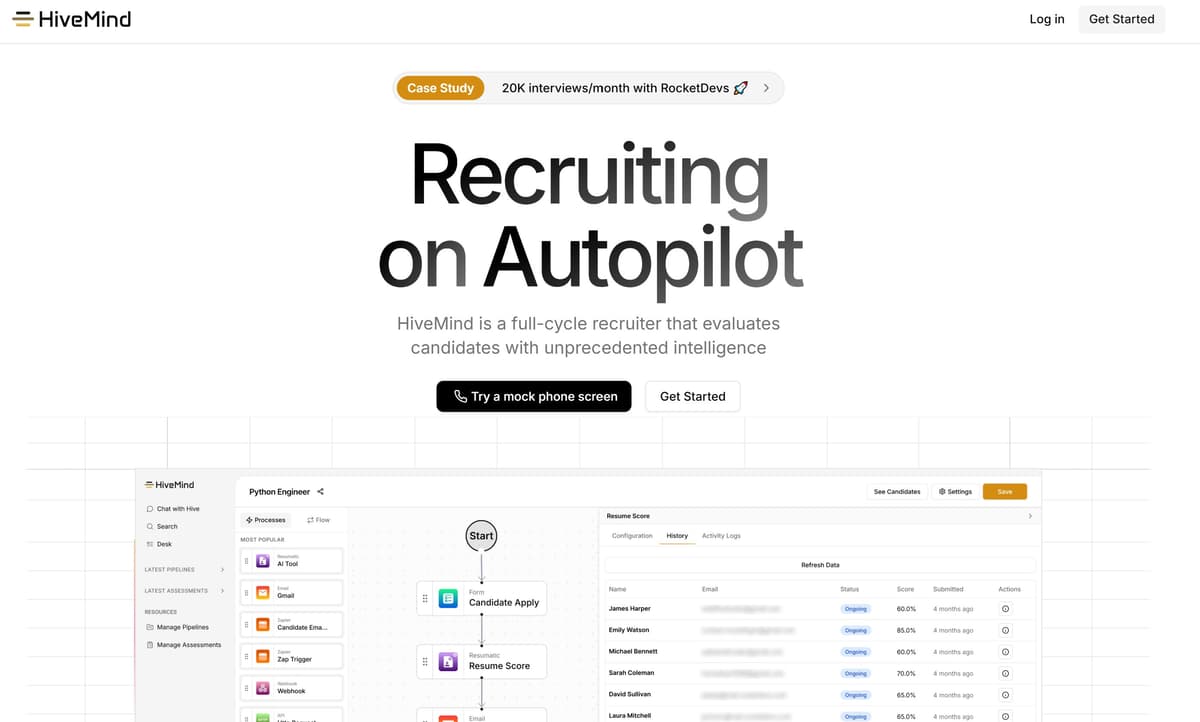
HiveMind AI was built to solve the exact challenges that make tools like LinkedIn Recruiter expensive and overwhelming. Leveraging advanced AI technology, HiveMind enhances candidate matching and recruitment efficiency by automating the most time-consuming parts of sourcing, screening, and reaching out to candidates, all at a fraction of the cost.
While LinkedIn Recruiter gives you access to a large pool of talent, it still puts the burden on you to manually search, message, track, and follow up.
HiveMind AI flips that model. It acts like a virtual recruiting assistant that calls, screens, qualifies, and delivers top candidates directly to you, without all the legwork.
Here’s how HiveMind AI compares to LinkedIn Recruiter:
| Feature | LinkedIn Recruiter | HiveMind AI |
|---|---|---|
| Candidate Sourcing | Manual search using filters | Automated sourcing across multiple platforms |
| Screening | Manual screening, based on profile | AI phone screening and qualification |
| Outreach | Send InMails (150/month) | Automated phone calls and smart follow-ups |
| Candidate Management | Project folders and notes | Smart dashboard with candidate summaries |
| Response Rates | Varies by message quality | Higher engagement via human-like AI calls |
| ATS Integration | Yes (for full Recruiter only) | Yes |
| Team Collaboration | Yes (with multi-seat licenses) | Included in every plan |
| Setup Time | Requires onboarding and training | Plug-and-play, works out of the box |
| Monthly Pricing (per seat) | ~$900/month | Starts at $199/month |
| Trial or Demo | Requires sales call | Free trial or instant demo available |
Don’t Miss: 11 High-Volume Recruiting Tools to Save Time and Cut Costs
What Makes HiveMind AI Stand Out?
-
You don’t need to spend hours running searches or writing messages. HiveMind does the outreach for you, using voice AI that actually talks to candidates and screens them based on your role requirements.
-
It’s custom and budget-friendly in comparison to expensive LinkedIn recruiter pricing of $900. You can get the results of a dedicated recruiter without paying enterprise-level fees.
-
It qualifies candidates before you ever speak to them. That means no more wasting time on unfit profiles or dead-end leads.
-
It works across multiple channels. Unlike LinkedIn Recruiter, which only gives you access to LinkedIn profiles, HiveMind AI finds candidates wherever they are, not just those who are active on one platform.
If you’re tired of manually sifting through profiles and sending messages that may or may not get responses, HiveMind AI gives you a faster, smarter way to recruit.
It’s especially useful for fast-growing companies, solo recruiters, and hiring managers who want results without the overhead.