

If you’ve been considering LinkedIn Recruiter Lite for your hiring needs, you’ve probably noticed how hard it is to find the real numbers.
The question isn’t just what it costs, it’s whether the features you get are worth the investment.
I’ve used the tool myself, so in this guide I’ll break down LinkedIn Recruiter Lite pricing in 2025, walk you through what you actually get for the subscription, and share whether it makes sense if you’re running a small team or recruiting on your own.
What Is LinkedIn Recruiter Lite and Who Is It For?
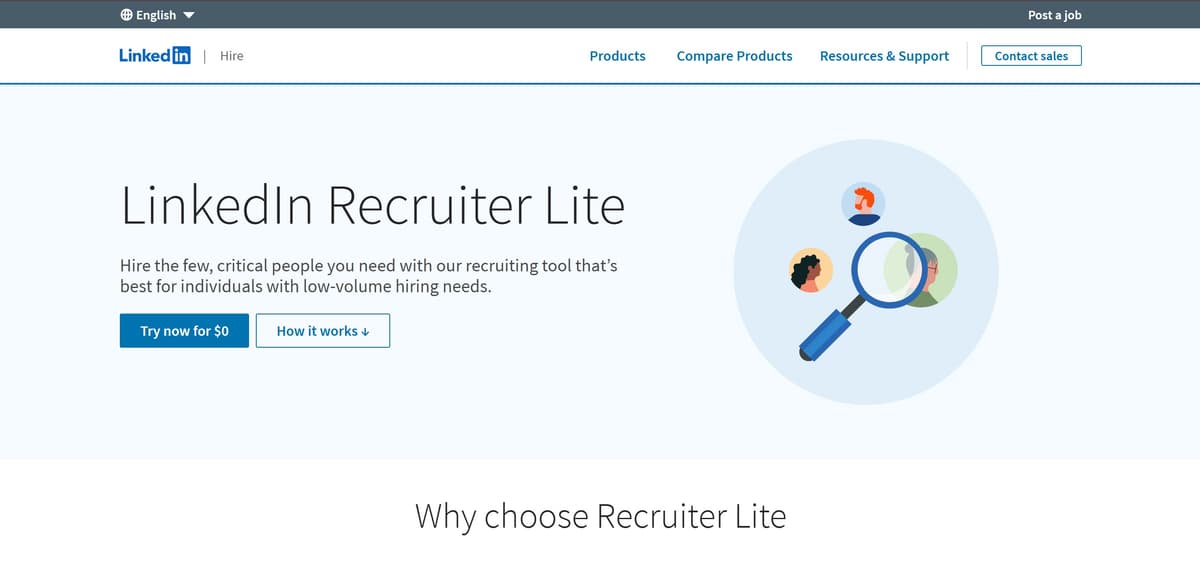
When I first signed up for LinkedIn Recruiter Lite, I wasn’t looking for anything too complicated. I just wanted a tool that gave me more freedom than the free LinkedIn account without locking me into an expensive contract. That’s exactly what I got.
Recruiter Lite is LinkedIn’s lighter version of their full recruiting platform. It’s built for people who handle hiring on a smaller scale.
Related: LinkedIn Recruiter Pricing Breakdown (2025): Is It Worth it?
Key Features of LinkedIn Recruiter Lite at a Glance
Here’s what I’ve found most useful while using Recruiter Lite:
-
The ability to send up to 30 InMail messages each month, so I can contact candidates I’m not directly connected with.
-
Over 20 search filters that make it easier to narrow down candidates based on specific criteria—such as skills, location, and job titles—so you can target candidates based on what matters most to your role.
-
A simple project dashboard where I can save and organize candidate profiles instead of juggling spreadsheets.
-
One job post included with each seat, which comes in handy for smaller roles.
-
Basic reporting tools that show how well my outreach is performing. It doesn’t overwhelm you with features you’ll never touch. Instead, it keeps things straightforward.
Why It’s Popular Among Solo Recruiters and Small Teams
The main reason I went with Recruiter Lite was cost. Full LinkedIn Recruiter can be close to $900 a month, which just didn’t make sense for me.
With LinkedIn Recruiter Lite pricing in 2025 starting at $170 a month, it felt much more manageable. I also like that it lets you add up to five seats if you’re working with a small team, so you can still collaborate without needing the full corporate version.
LinkedIn Recruiter Lite vs Free LinkedIn Accounts
Before upgrading, I used the free LinkedIn account and constantly ran into walls. I’d hit the search limit quickly, and I couldn’t message anyone outside my network. Recruiter Lite completely changed that.
It gave me the reach and flexibility I needed to actually connect with qualified candidates, instead of hoping the right people would stumble on my job posts.
LinkedIn Recruiter Lite Pricing in 2025 (Monthly and Annual Costs)
When I was comparing recruiting tools this year, one of the first things I looked for was clear numbers. Understanding the linkedin recruiter cost and overall recruiter cost is crucial for budgeting and making informed decisions. Here’s what I discovered about LinkedIn Recruiter Lite pricing in 2025: For a single license, the price is $170 per month.
1. Single Seat Pricing Explained
If you’re using Recruiter Lite on your own, the cost is $170 per month. I started with a single seat and found it worked well when I was only managing a few roles at a time.
The fee covers all the basics: 30 InMails each month, more than 20 search filters, and a project dashboard where you can organize candidate profiles. For an individual recruiter, this option is usually enough.
2. Team Pricing for 2–5 Recruiters
When I explored adding more people, I found that LinkedIn charges $270 per seat per month if you have a small team of two to five recruiters.
Each person still gets their own 30 InMails and access to the same search features, but you’re able to share projects and coordinate more easily, allowing recruiters to collaborate by sharing profiles, tagging teammates, and accessing previous recruiting activities together. This pricing can add up quickly, so it’s worth checking whether each person really needs their own license.
3. Annual Subscription Savings vs Monthly
I eventually switched to the annual plan because it was cheaper in the long run. For a single seat, the yearly cost is $1,680, which works out to about $140 per month.
That’s almost a 20% savings compared to paying month by month. For small teams, the annual rate is $2,670 per seat, which drops the monthly cost to around $222. If you’re sure you’ll use Recruiter Lite consistently, the annual plan makes more sense.
4. Regional and Industry Price Variations You Should Know
Something I learned along the way is that not every recruiter pays the same. Prices can shift slightly depending on where you’re located, the type of company you run, and whether you already have other LinkedIn subscriptions.
For example, a recruiter working in the U.S. might see a slightly different rate than someone in Europe. LinkedIn rarely lists these variations openly, so it’s best to confirm your price before committing. For organizations with unique requirements or larger recruiting teams, it’s recommended to contact the LinkedIn sales team to get a customized quote.
Top Pick: 9 Best AI Interview Scheduling Software for Hiring
| Plan Type | Monthly Cost | Annual Cost | Effective Monthly Rate | InMail Credits | Seats Allowed | Notes |
|---|---|---|---|---|---|---|
| Single Seat (Monthly) | $170 | $2,040 | $170 | 30 | 1 | Best for solo recruiters |
| Single Seat (Annual) | – | $1,680 | ~$140 | 30 | 1 | Saves about 20% vs monthly |
| Team Plan (2–5 Seats, Monthly) | $270 per seat | $3,240 per seat | $270 | 30 per seat | 2–5 | Shared projects and small-team collaboration |
| Team Plan (2–5 Seats, Annual) | – | $2,670 per seat | ~$222 | 30 per seat | 2–5 | Lower cost if you commit for a year |
LinkedIn Recruiter Lite Features Compared to Full Recruiter
When I first moved from LinkedIn’s free account to Recruiter Lite, it felt like a huge upgrade. Later on, I tested the full Recruiter version—often referred to as Recruiter Corporate, which is part of LinkedIn’s corporate packages designed specifically for enterprise companies and enterprise teams—and that’s when I really saw how different the two plans are. If you’re weighing the cost against the features, here’s what I learned while using both.
Recruiter Corporate and Recruiter Professional Services offer advanced analytics, custom reporting, and advanced AI features that are essential for large organizations. These higher-tier solutions are tailored for enterprise-level hiring needs, providing extensive collaboration tools and data-driven insights that go far beyond what Recruiter Lite offers.
Recruiter Professional and Recruiter Professional Services are specifically designed for staffing agencies and large recruiting teams, supporting complex workflows and large-scale hiring processes.
1. Network Access and Search Filters
With Recruiter Lite, I could only reach people within my 1st, 2nd, and 3rd‑degree connections. At first, this was fine because I was targeting a specific industry, but eventually, I felt the limits.
The full Recruiter opened up the entire LinkedIn network, which meant I wasn’t restricted to just the people already close to my circle.
On top of that, Lite gives you around 20 search filters, while the full version offers 40+ filters, including advanced ones like “years in role” and “open to contract work.” The full Recruiter also provides more advanced search capabilities, allowing you to identify higher quality candidates more effectively than with Lite.
2. InMail Credits and Communication Tools
Recruiter Lite gives you 30 InMail messages a month. I quickly realized how fast those credits run out, especially if you’re contacting multiple candidates for the same role.
In the full Recruiter, you get 150 InMails per month and the ability to send bulk messages of up to 25 at once. That saved me time when I was working on a larger campaign.
3. Candidate Management and Project Folders
With Lite, I was able to save up to 1,000 candidate profiles across my projects. The dashboard kept things simple: I could add notes and move candidates into different stages of the pipeline.
When I tested the full Recruiter, the limit jumped to 10,000 profiles per seat with the ability to tag candidates and share projects with the team. If you’re working alone, Lite’s system works fine. But if you need heavy organization, the full version is much better.
4. Reporting and Analytics
One thing you may miss in Lite is detailed reporting. You only get basic stats, like how many InMails you’ve sent and how many were accepted or ignored.
The full Recruiter, though, gave me insights into pipeline activity, team performance, and even candidate behavior. If you want data to back up your hiring strategy, Lite won’t give you enough.
5. ATS Integrations and Team Collaboration
With LinkedIn recruiter Lite pricing, it means you don’t get the feature that connects to Applicant Tracking Systems (ATS), which meant I had to manually move candidate information into my hiring software.
The full Recruiter integrates with popular ATS platforms, which saved me hours of admin work. It also offered free collaborator seats for hiring managers to view projects without needing their own paid license, something Lite doesn’t include.
Additionally, the full Recruiter integrates with LinkedIn recruitment marketing solutions and LinkedIn Talent Insights, providing enterprise users with enhanced data, marketing capabilities, and deeper integration within their recruitment workflows.
Feature Comparison Table
| Feature | Recruiter Lite | LinkedIn Recruiter (Full) |
|---|---|---|
| Network Access | 1st–3rd degree only | Entire LinkedIn network |
| Search Filters | 20+ filters | 40+ advanced filters |
| InMail Credits | 30 per month | 150 per month |
| Bulk Messaging | ❌ | ✅ (up to 25 at once) |
| Saved Profiles | Up to 1,000 | Up to 10,000 |
| Candidate Notes & Tags | Notes only | Notes + tagging & sharing |
| ATS Integrations | ❌ | ✅ |
| Reporting | Basic InMail & job stats | Advanced pipeline & usage reports |
| Team Collaboration | Up to 5 seats, no free collaborators | Unlimited seats + 20 free collaborator accounts |
Note: The full LinkedIn Recruiter provides access to hundreds of millions of profiles, offering unmatched scale for sourcing candidates.
From my experience, LinkedIn Recruiter Lite is the smarter choice if you’re a solo recruiter, consultant, or part of a small team handling under 10–15 hires a year. It gives you the tools you need without locking you into the high costs of the full plan.
Go for the full LinkedIn Recruiter if you’re hiring at scale, need deeper analytics, or want to integrate directly with an ATS. The extra filters, higher InMail credits and team collaboration features make a real difference once your hiring volume grows.
You Might Like: Top 7 HireEZ Alternatives, Ranked
Is LinkedIn Recruiter Lite Worth the Price? (Pros and Cons)
When I was first weighing whether to pay for Recruiter Lite, I kept asking myself if the subscription would really be worth it and whether the LinkedIn Recruiter worth matched its price and features. After using it, here’s what I found:
1. Benefits for Small-Scale Recruiting
For me, the biggest benefit of Recruiter Lite was how much easier it made sourcing candidates compared to the free account. At LinkedIn Recruiter Lite pricing in 2025, which starts at $170 a month, it felt like a fair trade‑off when I only needed to fill a handful of roles.
2. Where Recruiter Lite Falls Short
That said, I quickly learned about its limits. Thirty InMails disappear faster than you’d expect if you’re working on more than one role at a time.
The reporting tools are very basic, I couldn’t see deeper insights about why some messages worked better than others. And not being able to search outside my 1st to 3rd‑degree network sometimes meant I was missing out on qualified candidates.
3. ROI Insights
Here’s where the math made sense for me: if I filled just one role using Recruiter Lite, the subscription paid for itself. The time I saved not digging through job boards or waiting for applications was worth the cost.
It’s not a tool that saves you money if you only hire once or twice a year, but for ongoing recruiting, I noticed it cut down my time‑to‑hire significantly.
LinkedIn Recruiter Lite: Pros and Cons
| Pros | Cons |
|---|---|
| Affordable compared to full Recruiter | Limited to 30 InMails per month |
| 20+ search filters to refine candidate searches | Cannot access the full LinkedIn network (only up to 3rd degree) |
| Simple project dashboard for organizing candidates | Very basic reporting tools |
| Ideal for solo recruiters and small teams | No ATS integrations |
| Annual plan offers nearly 20% savings | Collaboration tools are limited, even with team seats |
How to Maximize Value from LinkedIn Recruiter Lite
When I first started using Recruiter Lite, I realized that getting the most out of it wasn’t just about paying the $170 a month. The real value came from how I used the features day to day. If you’ve decided that LinkedIn Recruiter Lite pricing in 2025 makes sense for you, here’s how to stretch every dollar.
1. Smart Ways to Use Your 30 InMails
Those 30 InMails go fast if you’re not careful. I learned to treat them like gold. Instead of sending generic messages, I always personalize them.
Mentioning a candidate’s recent achievement or specific skill set got me a much higher response rate. Another trick I use is saving InMails for the hardest‑to‑reach candidates and relying on connection requests for others.
2. Leveraging Boolean Search to Reach Hidden Talent
One feature I underestimated at first was Boolean search. By combining filters with simple commands like AND, OR, and NOT, I found candidates who would have never popped up in a regular search.
For example, searching for “(Java OR Python) AND remote” helped me surface profiles I wouldn’t have seen otherwise. It takes a little practice, but it makes Recruiter Lite’s 20+ filters much more powerful.
3. Organizing Candidates into Projects for Faster Hiring
The project folders in Recruiter Lite saved me from endless spreadsheets. I set up a project for each role, like “Marketing Hire Q1” or “Sales Manager Abuja,” and added notes on where each candidate was in the process.
That way, I never lost track of who I’d contacted or who I needed to follow up with.
4. Tracking Performance With Built-In Reports
Even though the reporting is basic, I still check it regularly. Looking at how many InMails I sent and how many replies I got helps me adjust my outreach style. For example, when my response rate dropped one month, I realized my messages were too long. Shortening them boosted my replies right away. These small tweaks make a big difference over time.
Why LinkedIn Recruiter Lite Alone Isn’t Enough
One thing I noticed is that even when Recruiter Lite helps me find candidates, it doesn’t handle the rest of the process. You still have to send follow‑up messages, schedule calls, and manually screen people.
That’s where HiveMind came in. Instead of chasing candidates across different tools, HiveMind handled the outreach, pre‑screening, and scheduling. This means you can spend your time actually talking to qualified people, not drowning in admin work.
Others Liked: Top 37 with Smart Answers
How HiveMind Complements LinkedIn Recruiter Lite
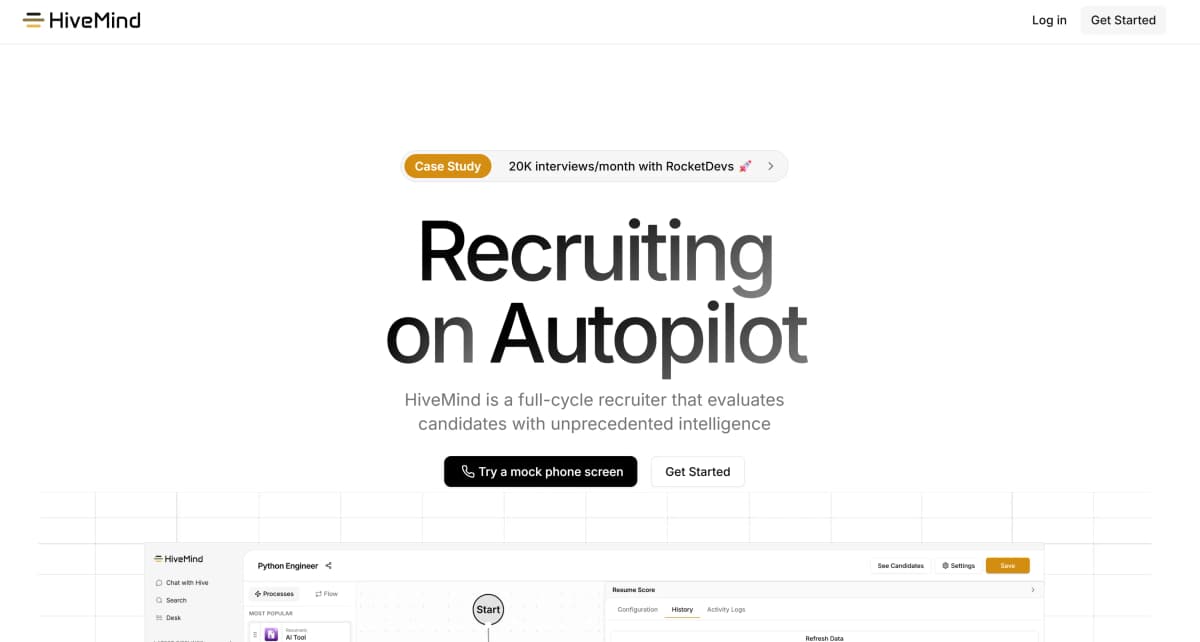
HiveMind AI takes over the parts of recruiting that Lite leaves on your plate:
1. Built‑In Candidate Assessments
One of the most useful features in HiveMind is its candidate assessments. Instead of spending hours creating tests or checking skills manually, HiveMind delivers ready‑to‑use, role‑specific assessments. This saves you both time and second‑guessing.
2. Hive Copilot
Hive joins your interviews and takes detailed notes for you. Instead of scrambling to write everything down while talking to a candidate, you can focus fully on the conversation. After the call, you receive an organized summary with highlights you can share with my team or refer back
3. Automated Shortlists with Scorecards
After sourcing and screening, HiveMind delivers instant shortlists with candidate scorecards. Instead of just a pile of profiles, you get a clear ranking of who was the strongest fit based on skills, experience, and screening results.
When you present candidates to a hiring manager, the scorecards make your recommendations look professional and data‑driven.
4. Interview Scheduling
The platform automatically syncs calendars, offers available slots to candidates, and books the interviews with little help from you.
I could literally move from “interested candidate” to “scheduled interview” in minutes. The time recruiters used to waste chasing availability goes back into building relationships with candidates.
5. Smart Candidate Dashboard
HiveMind delivers a clean view of every candidate, their application status, the notes from their interviews, and even their assessment results.
Instead of piecing things together, you can instantly see who’s ready for the next stage and who might need a follow‑up. It feels like having an ATS built right into the recruiting process, but without the complexity.
So while LinkedIn Recruiter Lite pricing makes sense for finding talent affordably, HiveMind is what turns those names into real hires without all the manual work.
If you’re ready to save hours on admin tasks and focus only on the best candidates, book a HiveMind demo today.
Don’t Miss: Top 9 AI Recruiting Assistants to Hire Skilled Candidates Faster
FAQs on LinkedIn Recruiter Lite Pricing
Can You Negotiate LinkedIn Recruiter Lite Pricing?
No, you can’t negotiate the cost. LinkedIn Recruiter Lite pricing is fixed and the same for everyone. I tried asking about discounts when I signed up, but LinkedIn confirmed there’s no room for negotiation. The only way to save is by choosing the annual plan instead of paying monthly.
Is There a Free Trial Available?
Yes, LinkedIn sometimes offers a 30‑day free trial for new users. If you’re on the fence, I recommend signing up for the trial so you can see if the features fit your needs before committing.
No, each person needs their own seat. The Lite plan allows up to five seats, so if you’re working with a small team, it’s better to get each recruiter their own account.
What Happens If I Need More Than 30 InMails a Month?
You have two options: buy extra InMail credits or upgrade to the full Recruiter plan. Personally, I found buying a few extra credits worked fine when I occasionally ran short. But if you’re consistently hitting the 30‑message limit, the higher tier might actually be more cost‑effective.
Can You Negotiate LinkedIn Recruiter Lite Pricing?
No, you can’t negotiate the cost. With LinkedIn Recruiter Lite pricing in 2025, the fees are fixed and the same for everyone. I asked about discounts when I signed up, but LinkedIn confirmed there’s no room for negotiation. The only way to save is by choosing the annual plan instead of paying monthly.
Don’t Miss: Top 9 AI Recruiting Assistants to Hire Skilled Candidates Faster
FAQs on LinkedIn Recruiter Lite Pricing
Can You Negotiate LinkedIn Recruiter Lite Pricing?
No, you can’t negotiate the cost. LinkedIn Recruiter Lite pricing is fixed and the same for everyone. I tried asking about discounts when I signed up, but LinkedIn confirmed there’s no room for negotiation. The only way to save is by choosing the annual plan instead of paying monthly.
Is There a Free Trial Available?
Yes, LinkedIn sometimes offers a 30‑day free trial for new users. If you’re on the fence, I recommend signing up for the trial so you can see if the features fit your needs before committing.
No, each person needs their own seat. The Lite plan allows up to five seats, so if you’re working with a small team, it’s better to get each recruiter their own account.
What Happens If I Need More Than 30 InMails a Month?
You have two options: buy extra InMail credits or upgrade to the full Recruiter plan. Personally, I found buying a few extra credits worked fine when I occasionally ran short. But if you’re consistently hitting the 30‑message limit, the higher tier might actually be more cost‑effective.
Can You Negotiate LinkedIn Recruiter Lite Pricing?
No, you can’t negotiate the cost. With LinkedIn Recruiter Lite pricing in 2025, the fees are fixed and the same for everyone. I asked about discounts when I signed up, but LinkedIn confirmed there’s no room for negotiation. The only way to save is by choosing the annual plan instead of paying monthly.